How to Add App on Home Screen
follow the step-by-step guide
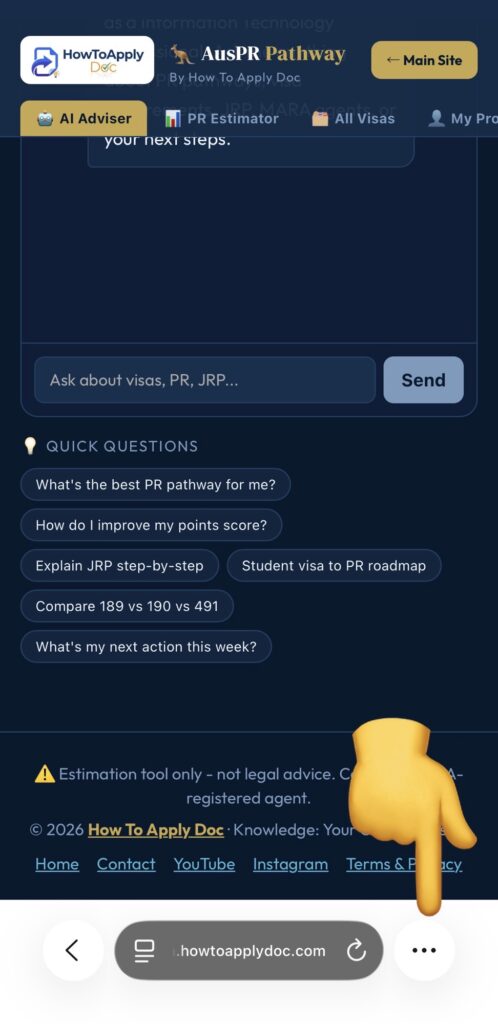
Step 1
For iphone Click on three dots
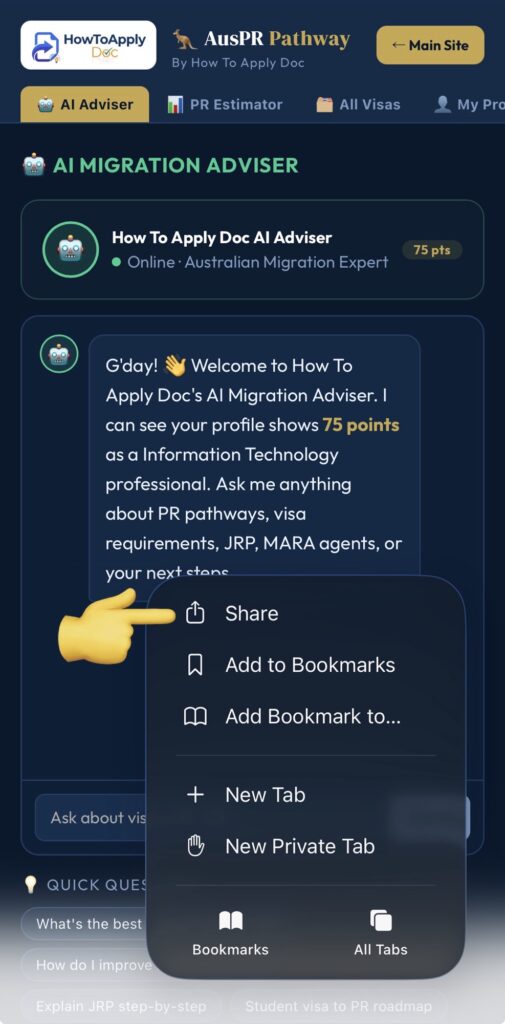
Step 2
Click on share button
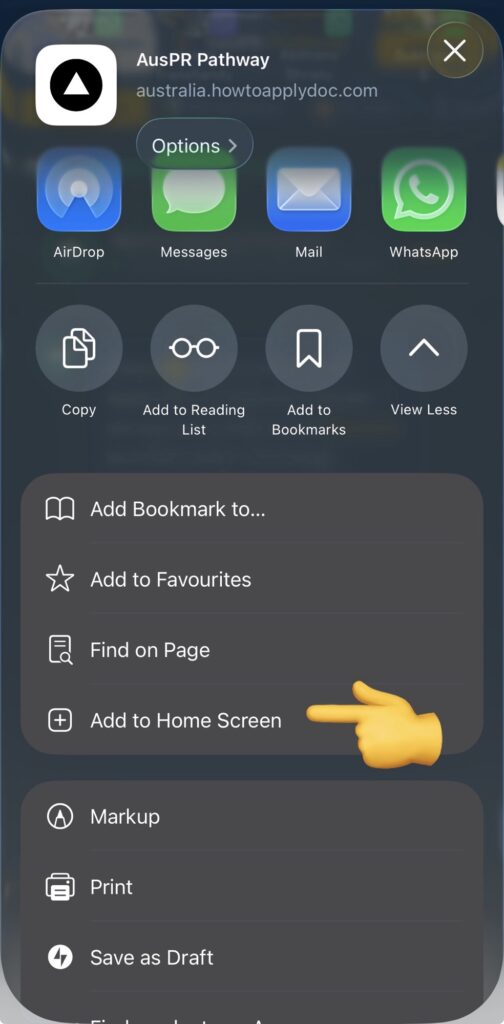
Step 3
Click on add to home screen
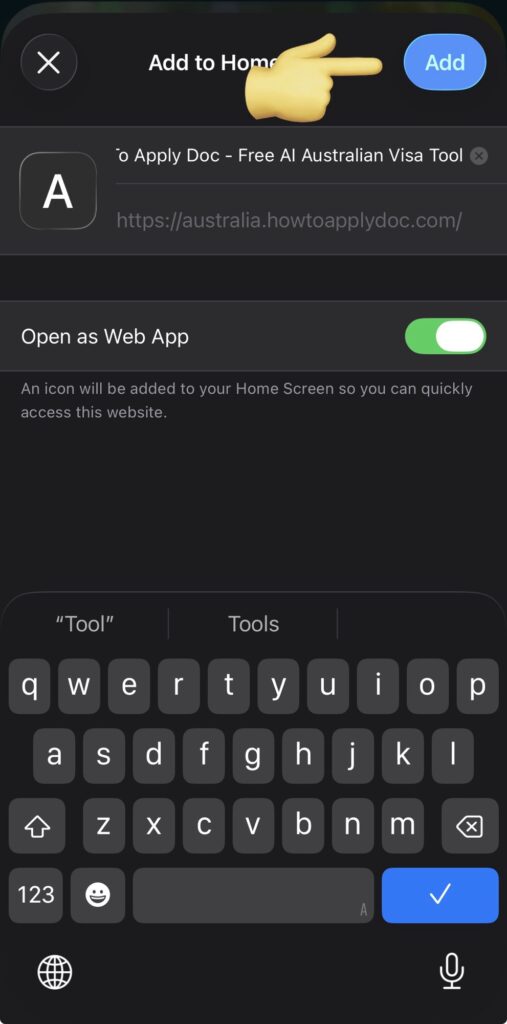
Step 4
click on add then it will be saved on your home screen
Then you can use it anytime no chance of forgot.